
Your flute is out of its case, and this time you want to really learn it. On the flute, the first thing you learn isn’t a song but a sound: a thin stream of air across the lip plate that turns into a clear note. No app can shape your lips for you. What a good app can do is tell you right away whether a note came out at the right pitch, show you the fingering for the next one and give you music to play along with. What helps you most depends on what you need now: a course that starts at your first note, pieces with an accompaniment, or a teacher who can watch you play.
What to look for on the flute
A start at the very first note. While your sound still comes and goes, choose an app that begins with single notes. Sheet music apps come into their own once you have a steady tone and a handful of notes.
Fingerings at hand. As you learn new notes, a fingering chart shows you which keys to press. tonestro has one in the app, and our free flute fingering chart shows all 37 notes from C4 to C7.
A tuner. You tune a flute by pulling the head joint out a little to go lower or pushing it in to go higher. A tuner shows you which way to move it, and tonestro, Metronaut and Tomplay each have one built in.
The right screen. On a music stand, a tablet shows the notes nice and large. Most of the apps here run on iPhone, iPad and Android, and Tomplay and MakeMusic Cloud also work on a computer.
The short version
Some apps fit more than one row because they combine approaches.
| If you want to… | Apps to look at |
|---|---|
| follow a method from your first notes, with feedback as you play | MakeMusic Cloud, tonestro |
| see how accurately you played a piece | MakeMusic Cloud, Metronaut, tonestro |
| play pieces with a recorded accompaniment | ABRSM Flute Practice Partner, MakeMusic Cloud, Metronaut, Tomplay, tonestro |
| prepare pieces for an ABRSM flute exam | ABRSM Flute Practice Partner |
| learn with a teacher | online lessons or a teacher near you (see below) |
| start without paying | free scores and previews, free plans and free lessons (see below) |
Apps that give feedback as you play
These three apps use the microphone of your phone, tablet or computer to check your pitch and rhythm, and they show you which notes were right. When you practice on your own, we think that’s the most useful thing an app can do: you know at once what to play again. tonestro comes first because it’s our app, and the other two follow alphabetically.
| App | What you practice | Runs on |
|---|---|---|
| tonestro | two flute courses and a song library | iPhone, iPad and Android |
| MakeMusic Cloud | method books and pieces with accompaniment | web browser on computers, tablets and phones |
| Metronaut | pieces with accompaniment | iPhone, iPad and Android |
tonestro
Best for: adults who start at the first note and want to know right away whether it was right.
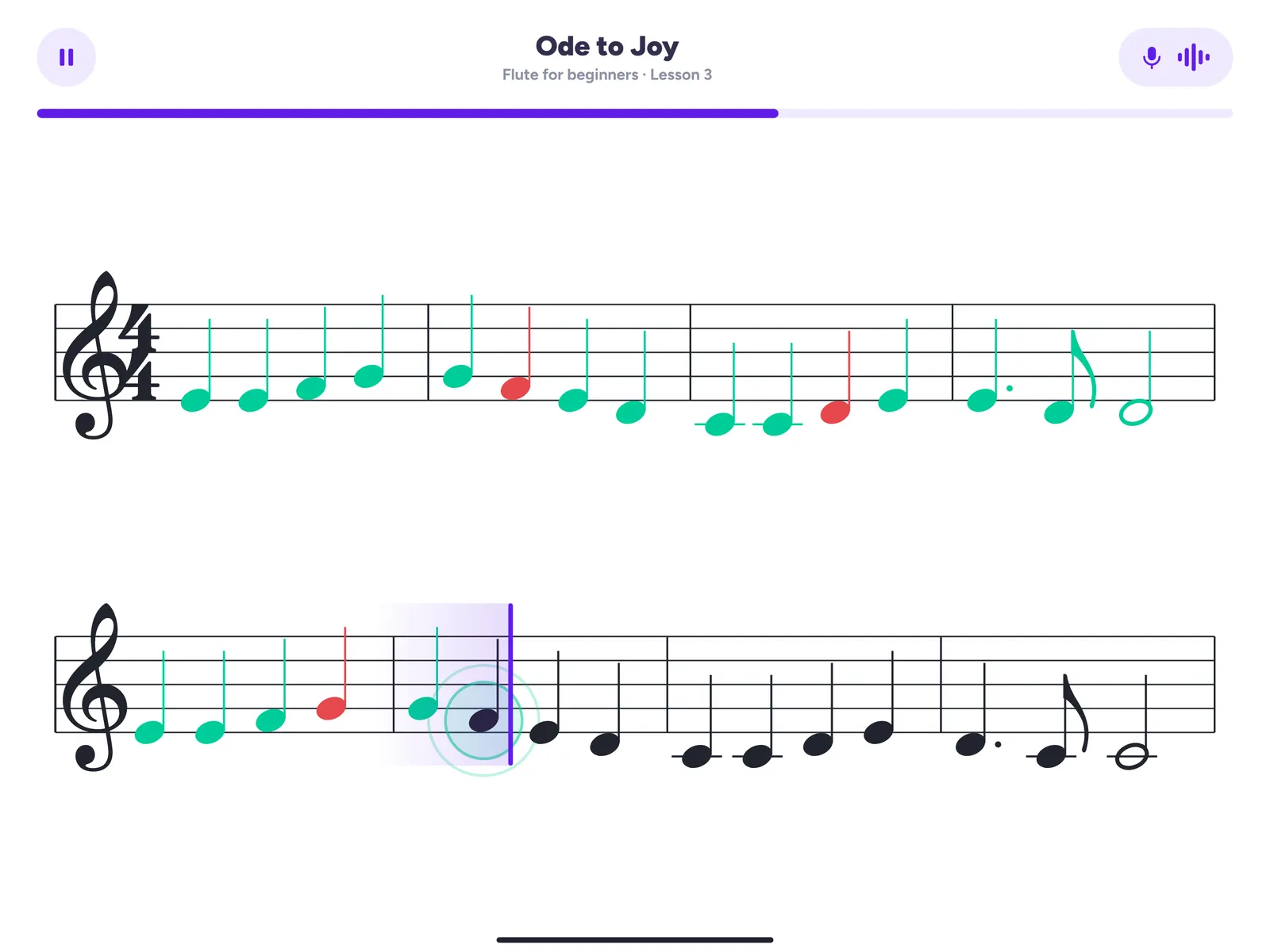
tonestro is the music school for every instrument. Put your phone or tablet on the music stand and play. Notes you played right turn green, notes that were off turn red, and the feedback covers pitch and rhythm, so you see at a glance which measure to try again.
For the flute, two courses built by music teachers take you from your first notes to your first songs. In your first ten minutes you already play one or two notes along with a real song and a band. When a note is new, the fingering chart is right there in the app, and the built-in tuner shows you whether you’re in tune before you start. tonestro’s feedback is about the notes you play. For your lip shape and posture, a mirror or a short video of yourself is the quickest check.
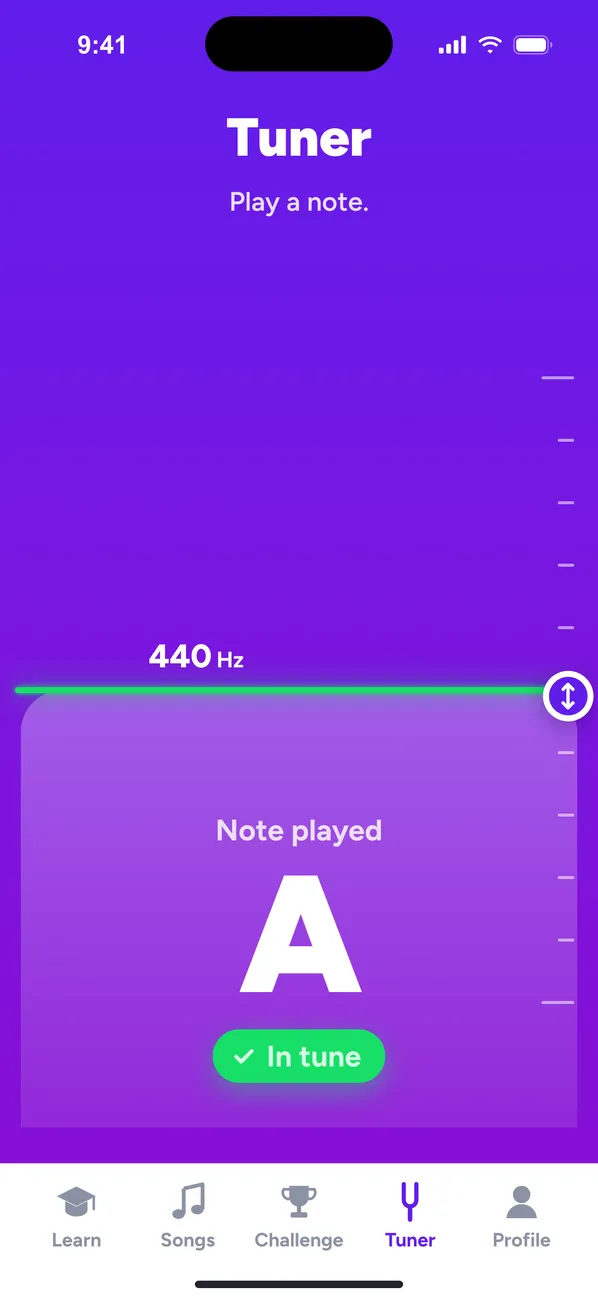
Why adults choose it: a clear path on the flute you own, at your own pace, with a band behind you early on. On the App Store, tonestro has been App of the Day and an Editors’ Choice. And if someone else at home plays the violin or the saxophone, one Family Plan covers up to six people and every instrument.
MakeMusic Cloud
Best for: working through method books and band music, with a score after every take.
MakeMusic Cloud is the new name of SmartMusic, so if you know SmartMusic from school band, you’ll find it here. It’s made for music teachers and their students. As you play along with a recorded accompaniment, notes turn green, red or yellow for pitch, rhythm and duration, and you get a percentage score afterward. The catalog includes more than 200 method books as well as flute music. Individual musicians can start on the free plan, which comes with the red and green note assessment and part of the catalog.
Metronaut
Best for: playing pieces with an accompaniment that follows your tempo.
Metronaut has a catalog of more than 20,000 pieces, flute included, with accompaniments recorded by professional musicians. As you play, it shows right on the score how accurately you hit pitch and rhythm, and it rates your take from 0 to 100. In sight-reading mode the cursor waits until you play the right note, and in Interpret mode the accompaniment follows your tempo, which suits expressive pieces. Browsing the catalog and playing previews is free, and Premium unlocks the full library.
Play along with sheet music
With an accompaniment behind you, practice turns into making music. Metronaut, above, works this way too.
ABRSM Flute Practice Partner
Best for: preparing pieces for an ABRSM flute exam.
Working toward a graded exam? The ABRSM Flute Practice Partner is the exam board’s own app for the pieces in its flute exam books, Grades 1 to 7. You can practice with the piano accompaniment, with the flute part on its own or with a duo recording, slow the music down and loop a tricky passage. One example piece is included, and you buy more pieces or a whole grade in the app.
Tomplay
Best for: playing flute pieces with recorded accompaniment, from your first easy pieces on.
Tomplay pairs sheet music with recordings by professional musicians, from duets to a full band or orchestra. Its flute catalog runs from absolute beginner to advanced and takes in classical, pop, film music and jazz. The score scrolls along with the recording, and you can slow it down or set a loop to practice one passage again and again. A tuner and a metronome are built in.
Learning with a teacher
Some things are easier with someone who can see you: the angle of the lip plate, where your air goes, how you hold the flute. If you’d like that, or simply someone to ask, there are two routes.
Online lessons. Preply connects you with flute tutors for one-on-one lessons in its virtual classroom, starting with a trial lesson. If the first tutor isn’t a match, you can try two more for free. Once you’re further along, ArtistWorks has a classical flute course with Jeffrey Khaner for intermediate and advanced players, with video lessons and a library of his video replies to students.
A teacher near you. In the US, the MTNA teacher search lets you choose flute as the teaching area, and the Royal Conservatory’s directory covers all of North America, Canada included. In the UK, the Trinity Teacher Directory filters by instrument, and the flute shop Just Flutes runs a free teacher finder for local and online teachers. In Australia, look at the teacher lists of the Victorian Flute Guild, the Queensland Flute Guild and the Music Teachers’ Association of NSW, or search the MTASA directory by instrument in South Australia.
Free ways to start
- On our site: free previews of flute sheet music, from easy to expert with Christmas songs included, and the fingering chart as a PDF to print.
- Free scores: IMSLP offers free public-domain scores, so check the copyright rules for your country before you download. MuseScore has free scores you can browse by instrument, flute included.
- Free lessons: flutist Rebecca Fuller’s Learn Flute Online starts you off with free beginner lessons, the Silver Level.
- Free plans: MakeMusic Cloud’s free plan includes the note assessment, Metronaut lets you browse its catalog for free, and the ABRSM app comes with one example piece.
- Free trials: tonestro gives you 7 days free with the yearly plan. For the other apps, check what the trial includes for the plan you choose.
How we put this guide together
tonestro is our app, so here’s how we compared. In November 2026 we read each provider’s own App Store and Google Play pages and website, and we looked at which flute apps come up in store searches in the US, the UK, Canada and Australia. The apps are grouped by how you learn, and none of them is ranked. Apps change quickly, so check the provider’s page before you subscribe.
Good to know before you start
Can you learn the flute with an app as an adult?
Yes. A good app gives you a plan, music to play along with and feedback while you practice, at whatever hour suits you. A lesson now and then helps with the fine points. More on starting later in life: learning the flute as an adult.
What if I can’t get a sound out of my flute yet?
That’s normal at the start. A few minutes a day on the head joint alone is the usual way in: blow across the hole as if over a bottle, with soft lips and a narrow stream of air. In tonestro, the lessons start with your first notes and show you as soon as one comes out at the right pitch. Our guide to your first flute week takes you through it step by step, and here’s how hard the flute really is at the start.
Can an app tell whether my embouchure is right?
It shows you the result: tonestro tells you whether a note had the right pitch and came in on time. An airy sound or a note that sits flat often means your lips or the angle of the flute need a small change. For the shape itself, a mirror or a teacher is the best check.
Do I need to read music?
No, you can learn it as you go. tonestro’s lessons teach you to read the notes you’re playing, and in sheet music apps like Tomplay or Metronaut you read along from the start. For a head start, here’s how to read music in five easy steps.
How long until I can play a song?
With tonestro, you play one or two notes along with a real song and a band in your first ten minutes. Playing a whole melody on your own at full tempo takes longer, often a few weeks for simple songs if you practice on most days. Here’s a realistic flute timeline.
Your next step
Pick the route that sounds most like you and try one or two apps before you choose a plan. If you want to practice on your own from your very first note and know right away whether you got it right, tonestro is our pick.